Apple Claris
FileMaker Pro 18 and 19
Role
UX Designer
Company
Apple, FileMaker Division
Timeline
Aug 2018 to Oct 2019
Platform
macOS · iOS · Windows
Overview
FileMaker Pro is a cross platform database software from Claris International, a subsidiary of Apple Inc., that allows users to easily create custom apps for iPad, iPhone, Windows, and Mac. It helps organize data into screens, layouts, or forms and manage contacts and projects, allowing businesses of all sizes to participate in the digital evolution without needing complex coding skills.
We are in the most exciting time for software. This era is powered by data and AI, and FileMaker has been an incredibly powerful tool for data heavy businesses that need to retrieve, store, and work with different custom data sets quickly. I helped FileMaker Pro shape its new features and user experience for releases 18 and 19.
claris.com ↗Products
The FileMaker Platform

FileMaker Cloud or Server connects to every platform: desktop, mobile, tablet, and web.
01
Challenge
FileMaker Pro serves a wide range of users, from solo freelancers to enterprise IT teams, all building custom data apps without deep coding expertise. Releases 18 and 19 introduced major capabilities, and the challenge was making those features feel accessible, consistent, and approachable on every platform.
Complex Workflows
Enterprise users needed to manage intricate data relationships and complex scripts without losing context or making destructive errors.
WCAG Compliance
The platform had to meet accessibility standards across macOS, Windows, and iOS without sacrificing the visual density that power users relied on.
Cross Platform Parity
Features had to feel native on each OS while sharing a consistent design language across three very different platform conventions.
Example: Redesigning the Import Field Mapping dialog
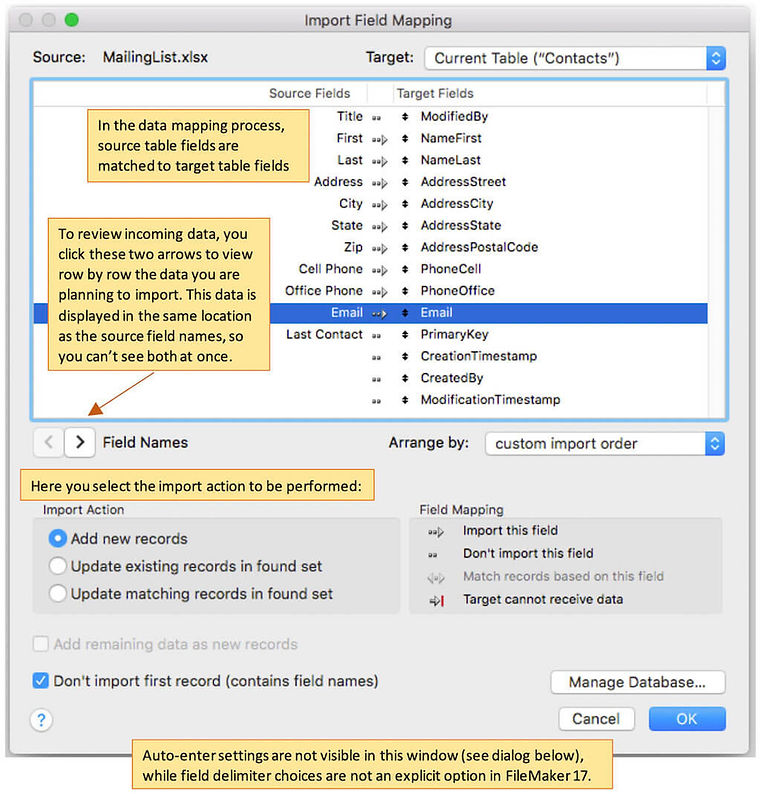
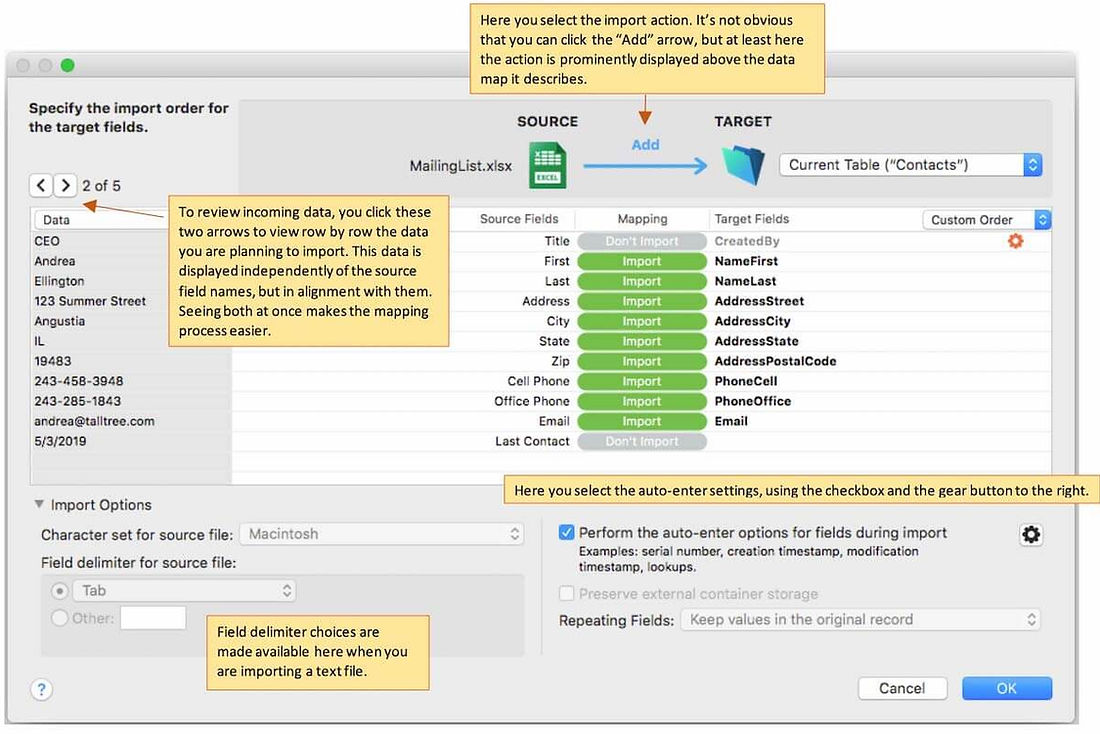
One key area was the import field mapping workflow. In FileMaker 17, users couldn't see both their source data and field names at the same time, making it easy to map fields incorrectly. For release 18, we redesigned the dialog to surface source data and target fields simultaneously and made the import action more prominent.
Before: FileMaker 17
After: FileMaker 18
02
Design Work
Wireframes and information architecture for data layouts
I created wireframes and information architecture for complex data workflows, including the layout builder. Each layout had to balance field density with clear visual hierarchy so users could build forms and reports without needing to write code.
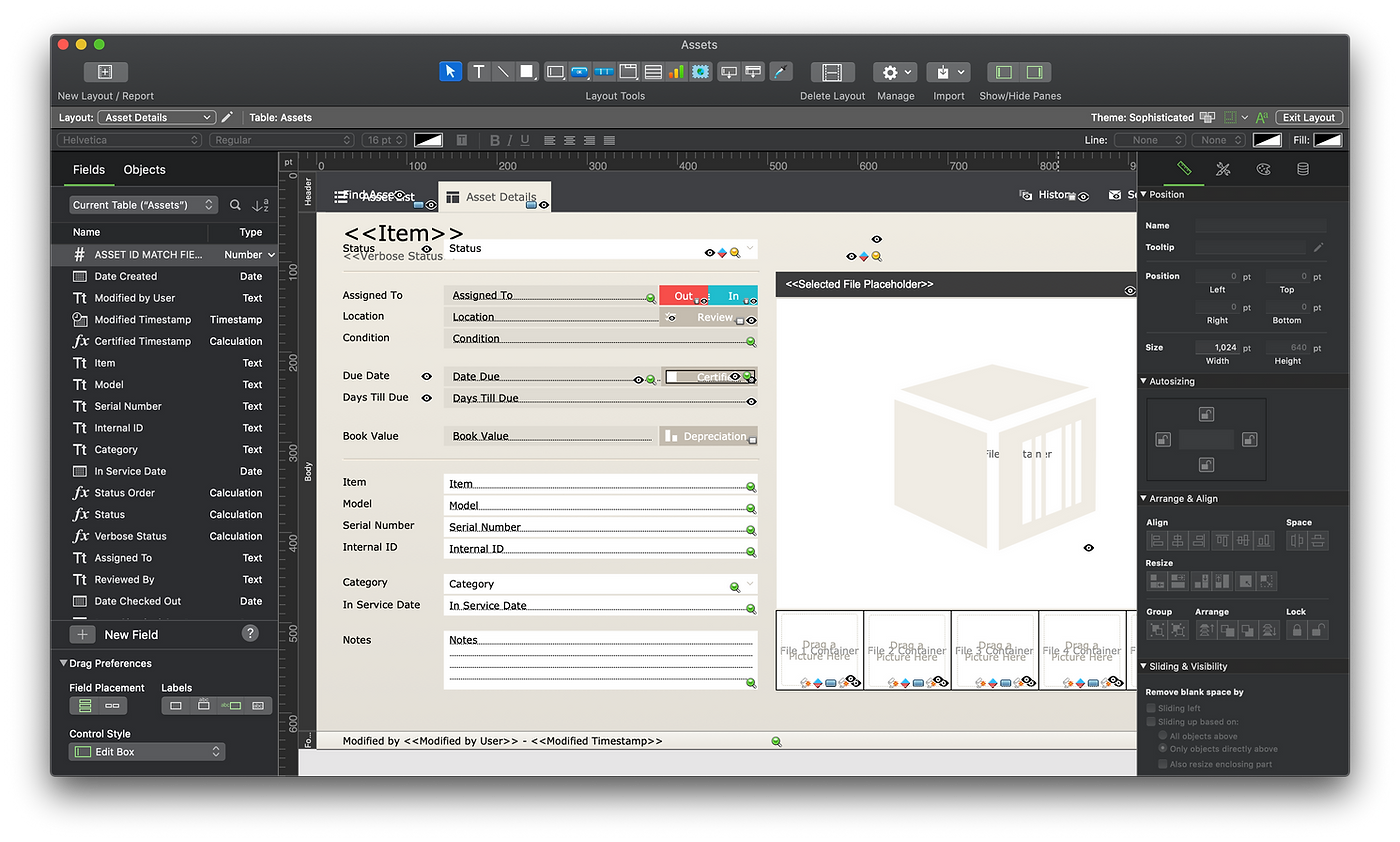
FileMaker Pro layout builder for the Asset Details form, showing the fields panel, drag-and-drop canvas, and properties inspector.
Add on Tables, a new feature in FileMaker 19
FileMaker 19 introduced Add on Tables, prebuilt table templates users could drop into any custom app. I helped design the selection dialog and preview experience, making it easy to understand what each one includes before committing.
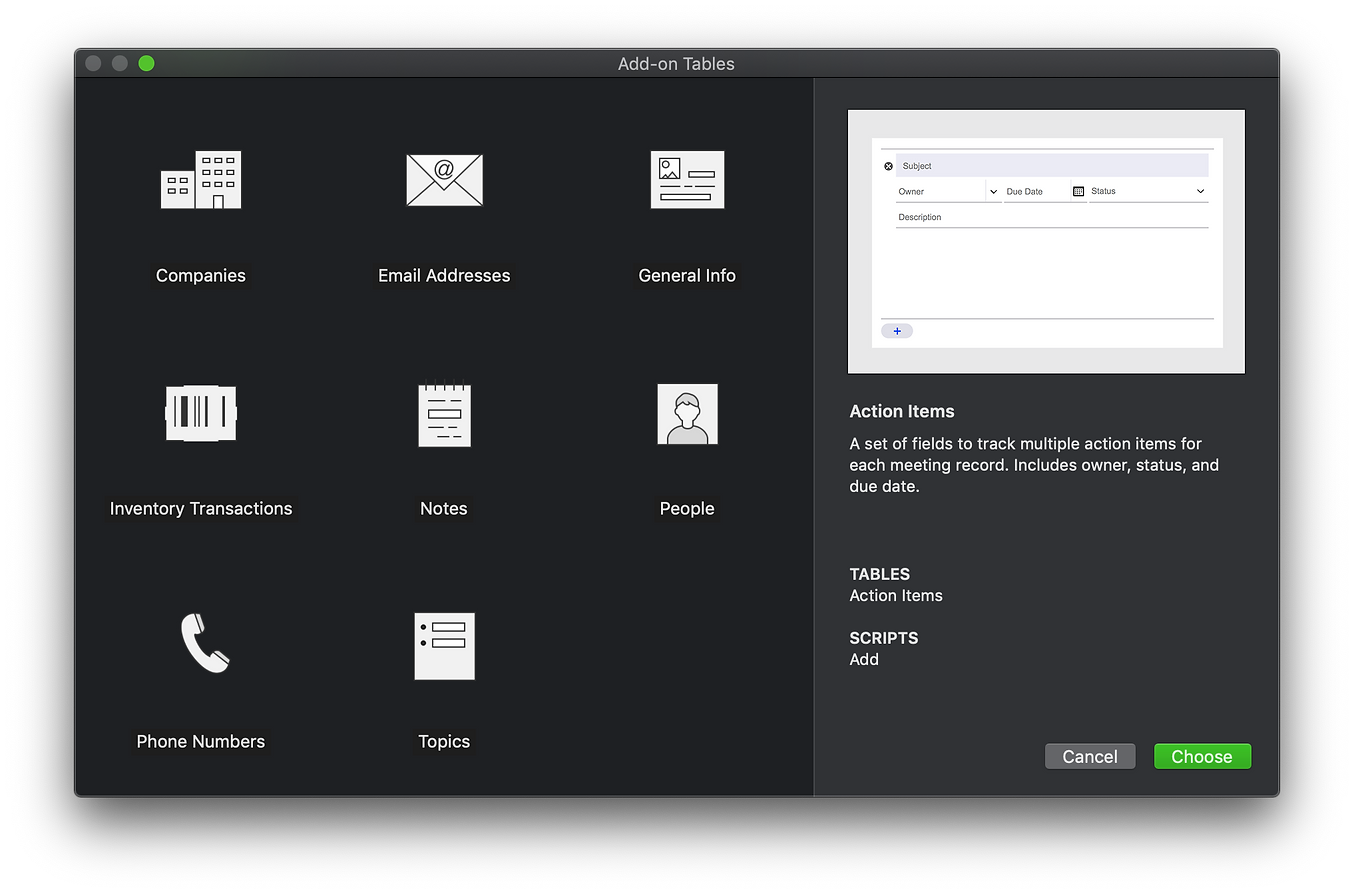
Add on Tables selection dialog, showing available table types and a live preview of the selected table's schema and scripts.
Dark mode and WCAG accessible UI components
I implemented system level, WCAG accessible UI components in Xcode alongside engineering. This included dark mode support for dialogs across the scripting and layout management surfaces, ensuring contrast ratios met accessibility standards without losing the visual density power users needed.
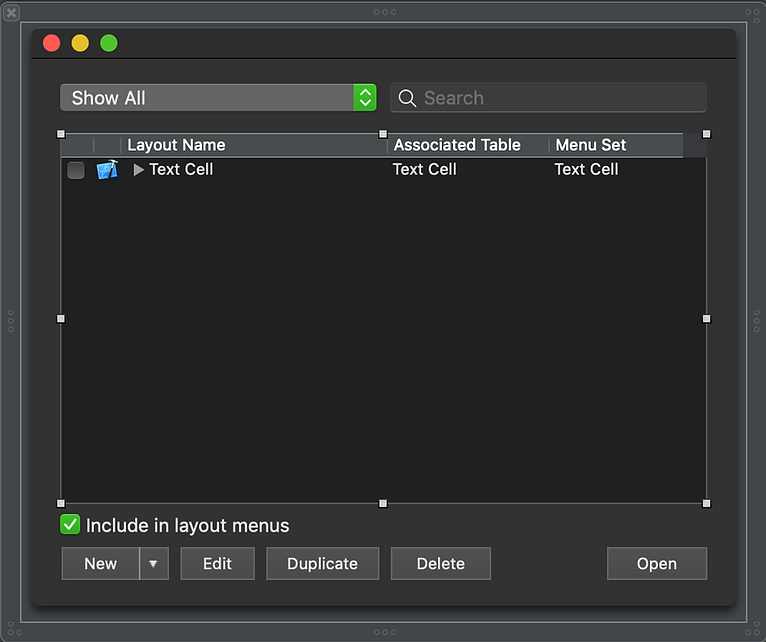
Manage Layouts
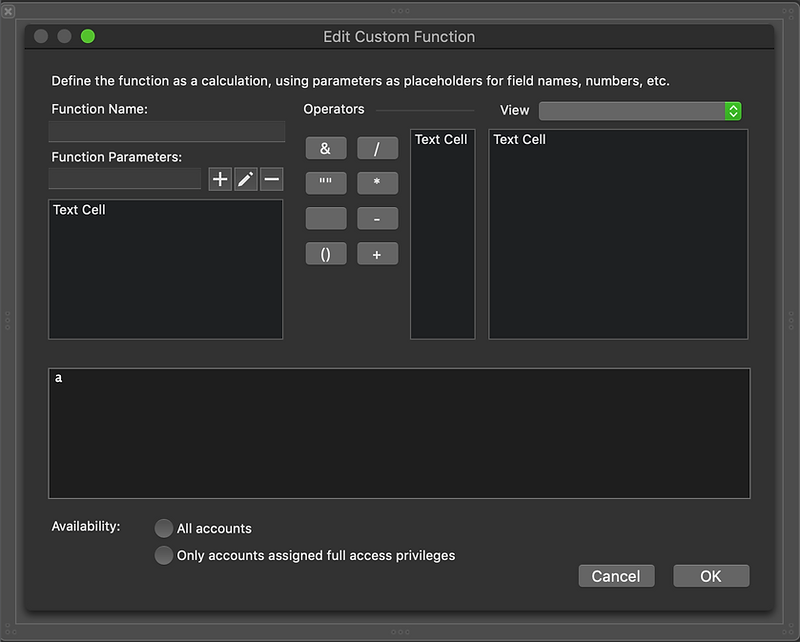
Edit Custom Function
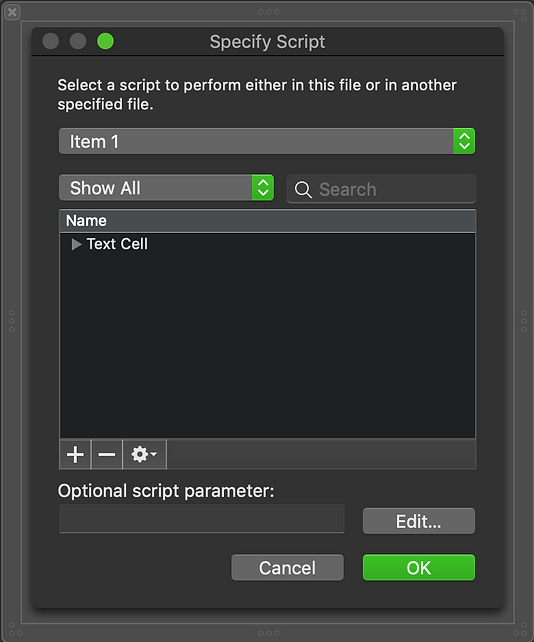
Specify Script
Embedded in Xcode alongside engineering
Rather than handing off static specs, I worked directly in Xcode with the engineering team to implement UI components. This reduced interpretation gaps and ensured the final shipped components matched the design intent exactly.
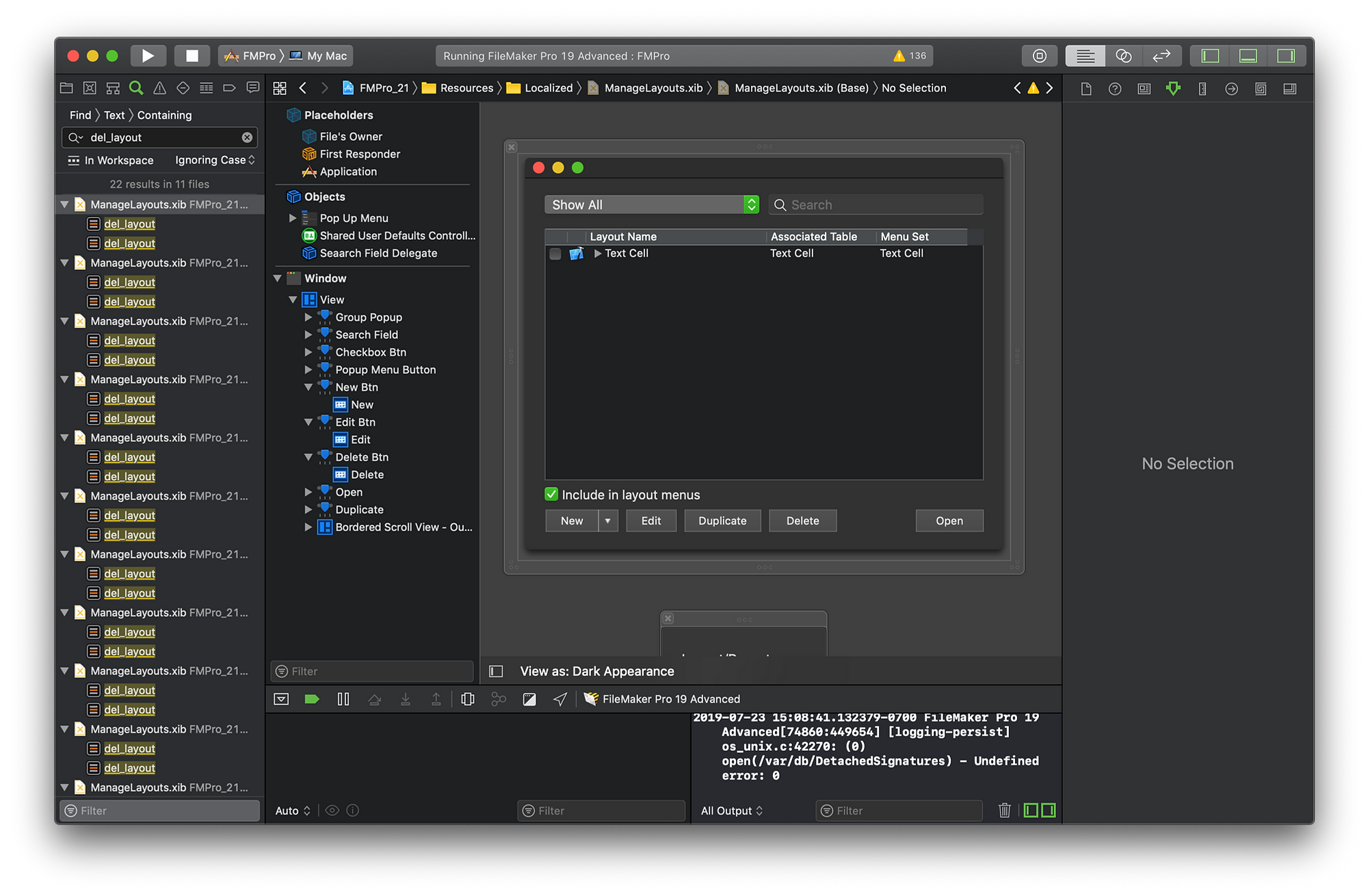
Xcode development environment showing FileMaker Pro 19 code, with the Manage Layouts dialog running in the app alongside the source tree.
03
Approach
Working inside Apple's FileMaker division meant operating close to engineering. Rather than handing off static specs, I embedded in the development cycle, designing in context of what was technically feasible and then validating each decision with real users.
I ran rapid prototyping cycles on complex workflows, tested with real enterprise users on Userzoom and in moderated sessions, and iterated quickly. Accessibility was a constraint built into every component from the start, including working directly in Xcode to close the gap between design intent and implementation.
A/B testing informed the final redesign of the Import dialog, now shipping in FileMaker 18:
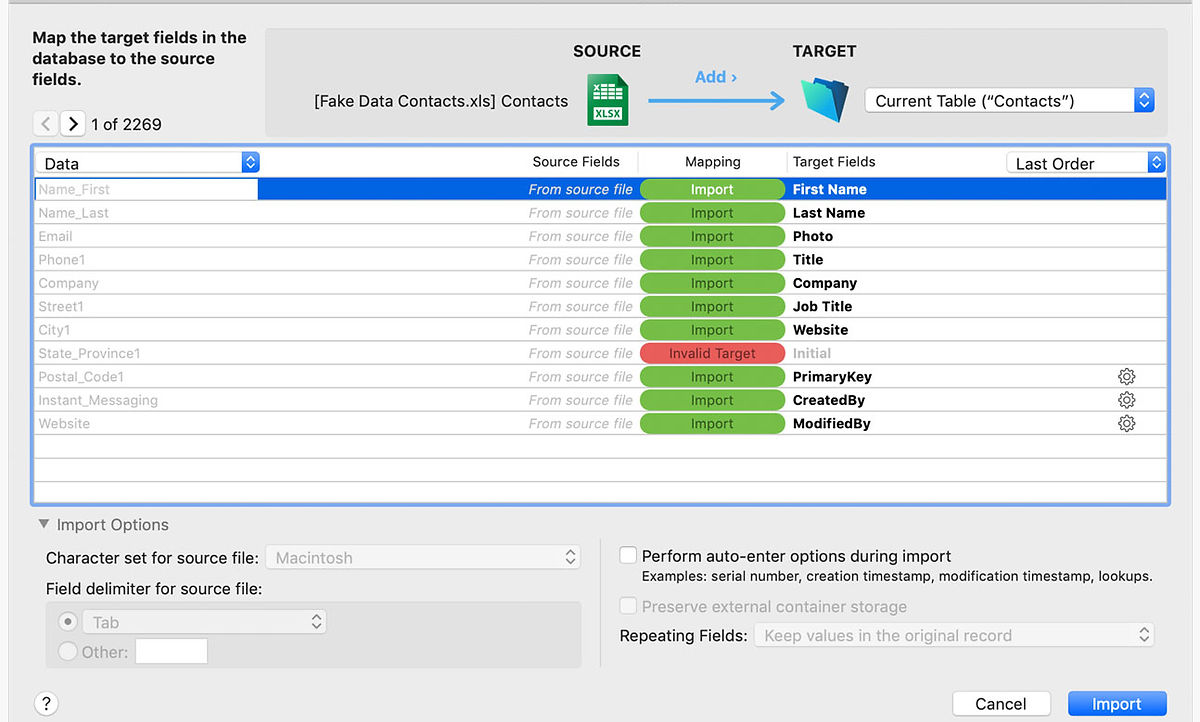
Final shipped design: the Import dialog in FileMaker 18, with source data and target field names visible side by side for the first time.